
What Is SSO ID? SSO Full Form and Meaning in Rajasthan (2026)
SSO stands for Single Sign-On. In Rajasthan, your SSO ID is one digital identity that opens hundreds of state government services with a single username and password.
An SSO ID is your single login for Rajasthan government online services: SSO stands for “Single Sign-On”, and with one SSOID and password you can open job applications, e-Mitra, Jan Aadhaar services, scholarships and many more apps on sso.rajasthan.gov.in. You create it once, for free on the official registration page, and then use it every time you need a state online service.
In this guide we explain the SSO full form, what Single Sign-On means in simple words, who can get an SSO ID, what you can do with it, and how it differs from Jan Aadhaar and Aadhaar. Steps checked on 4 November 2026.
Steps checked on the official portal on 4 November 2026. Independent guide — not the Government of Rajasthan.
SSO Full Form and SSO ID Full Form
The SSO full form is Single Sign-On. The SSO ID full form is Single Sign-On Identity, which the Rajasthan portal calls your “Digital Identity (SSOID)”.
On the official portal, the system is named “Rajasthan Single Sign On” with the tagline “One Digital Identity for all Applications”. The login box itself asks for your “Digital Identity (SSOID/ Username)”, which is the SSO ID people talk about.
So when someone says “SSO ID”, “SSOID”, “RajSSO ID” or “Rajasthan SSO ID”, they all mean the same thing: your personal username on sso.rajasthan.gov.in.
In other contexts, SSO can mean something else (for example, a job title in some organisations). On this site, and in Rajasthan government forms, SSO always means Single Sign-On.
Single Sign-On Meaning in Simple Words
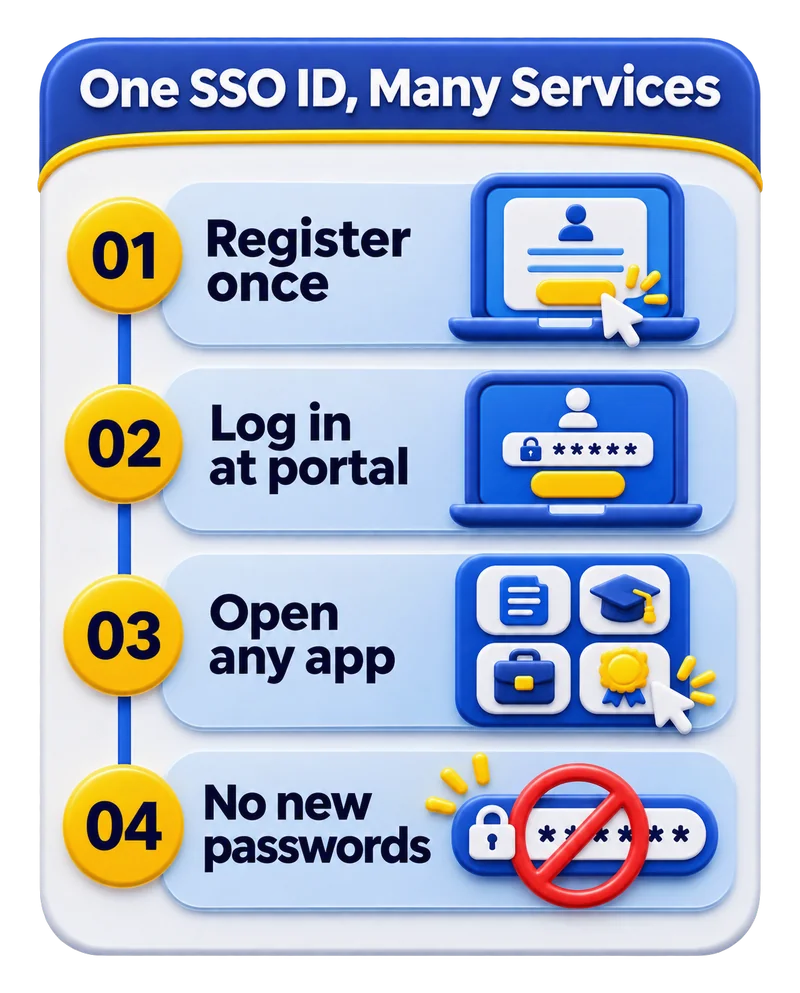
Single Sign-On means you sign in once and get access to many separate systems without logging in to each one again.
Think of it like one master key for a building with many rooms. Without Single Sign-On, every department website would need its own username and password: one for recruitment, one for scholarships, one for e-Mitra, and so on. People would forget them, and each department would have to manage its own accounts.
With Single Sign-On, the state verifies you once. After you log in at sso.rajasthan.gov.in, you click an app icon on your dashboard and the app opens with your identity already confirmed. Some apps also fill in your basic details, such as name and mobile, automatically.
What Is SSO ID Rajasthan? One Digital Identity
What is SSO ID Rajasthan in numbers? The portal shows how big this single identity system has become. Counts as shown on the sign-in page on 4 November 2026.
34,482,130 Identities
The sign-in page showed 34,482,130 digital identities registered, covering citizens, businesses and government employees.
431 G2G Apps
Government-to-Government apps, mainly used by departments and employees for office work, payroll, files and records.
272 G2C/G2B Apps
Government-to-Citizen and Government-to-Business apps, such as applications, certificates, registrations and payments.
Built by DoIT&C
The portal is built and hosted by the Department of Information Technology & Communication (DoIT&C), Government of Rajasthan.
Two Languages
The portal has an English and हिन्दी toggle at the top, so you can use it in Hindi.
Also Meri Pehchaan
The login page also offers a “Meri Pehchaan” button, the national single sign-on powered by e-Pramaan, as an extra option.
Types of SSO ID Users
The registration page at sso.rajasthan.gov.in/register has two tabs: “Citizen/ Udhyog” and “Govt. Employee”. Pick the type that matches you.
The portal labels Jan Aadhaar as “Only for Residents of Rajasthan State, India” and Google as “All Others, including above”. That means applicants from other states, for example for some recruitments, can register using a Google account. Full steps are in our SSO ID registration guide, and employees can read our employee login guide.
| User type | Who it is for | How to register |
|---|---|---|
| Citizen | Residents, students, job applicants and anyone using public services | Jan Aadhaar (Rajasthan residents) or Google (all others) |
| Udhyog | Businesses, shops and industries using business services | Under the “Citizen/ Udhyog” tab |
| Govt. Employee | Rajasthan government employees | Separate “Govt. Employee” tab using employee details |
What Can You Do With an SSO ID?
After logging in, your dashboard shows app icons. Exactly which apps appear depends on your user type, but these are the most common uses.
Government Job Applications
Apply for state recruitments through the Recruitment Portal, including exams conducted by RPSC and RSSB, and download admit cards. See our SSO admit card guide.
e-Mitra Services
Access e-Mitra services such as applying for certificates and paying bills online. Our e-Mitra login guide explains the steps.
Jan Aadhaar
Open Jan Aadhaar related services linked to your family record.
Scholarships
Students apply for state scholarship schemes through the scholarship apps available after login.
Employment Exchange
Job seekers can use the Employment Exchange Management System (EEMS) to register and update their details.
RajKaj for Employees
Government employees use RajKaj, Rajasthan’s integrated e-office suite, for office files, HR records and more.
Grievances
Raj Sampark lets citizens register complaints with government departments.
Business Services
Udhyog users access industry and business-related registrations and approvals.
SSOID vs Jan Aadhaar vs Aadhaar
These three are often confused. They are different things with different jobs, though they can be connected.
In short, Aadhaar and Jan Aadhaar prove who you are; the SSOID is the account you log in with. Rajasthan residents usually create their SSOID using Jan Aadhaar.
| Point | SSOID | Jan Aadhaar | Aadhaar |
|---|---|---|---|
| What it is | Login identity for Rajasthan online services | Rajasthan family identity record | National 12-digit identity number |
| Issued by | Rajasthan SSO portal (DoIT&C) | Government of Rajasthan | UIDAI, Government of India |
| Covers | One person (or one business / employee) | Whole family | One person |
| Used for | Logging in to state apps | Family details and scheme benefits in Rajasthan | Identity verification across India |
| Format | Username used with a password | Family / member ID | 12-digit number |
| Link | Can be created using Jan Aadhaar | Can be used to register SSOID | Can be used in SSOID recovery |
Is SSO ID Free and Is It Mandatory?
Two common questions, answered simply.
- Is it free? The official registration page does not ask for any payment to create an SSOID. Individual services you use later, such as an exam form or certificate, may have their own fees set by the department.
- Is it mandatory? Nobody is forced to create one, but many Rajasthan government online services can only be used after logging in with an SSO ID. If you want to apply for those services online, you will need it.
- One person, one ID: Keep a single SSOID. If you already have two, see our merge SSO ID guide.
- Keep it safe: Your SSOID gives access to your applications and personal details. Never share your password or OTP.
हिंदी में जानकारी
SSO का फुल फॉर्म Single Sign-On है, यानी एक बार लॉगिन करके कई सेवाओं का उपयोग। राजस्थान SSO ID एक डिजिटल पहचान है जिससे आप sso.rajasthan.gov.in पर भर्ती आवेदन, ई-मित्र, जन आधार, छात्रवृत्ति जैसी कई सरकारी सेवाएं एक ही यूज़रनेम और पासवर्ड से खोल सकते हैं। 4 नवंबर 2026 को पोर्टल पर 3,44,82,130 पहचानें, 431 G2G ऐप और 272 G2C/G2B ऐप दिख रहे थे। रजिस्ट्रेशन में “Citizen/ Udhyog” और “Govt. Employee” दो विकल्प हैं। राजस्थान के निवासी जन आधार से और बाकी लोग Google से SSO ID बना सकते हैं। अपना पासवर्ड या OTP कभी किसी को न बताएं।
FAQs

Conclusion
Dear users, an SSO ID is simply your one key to Rajasthan’s online government services. SSO stands for Single Sign-On, and one SSOID lets you reach hundreds of apps without remembering separate passwords. If you do not have one yet, follow our SSO ID registration guide, and when you are ready, sign in through our SSO ID login guide.