
RPSC SSO Login 2026: OTR and Recruitment Portal Guide
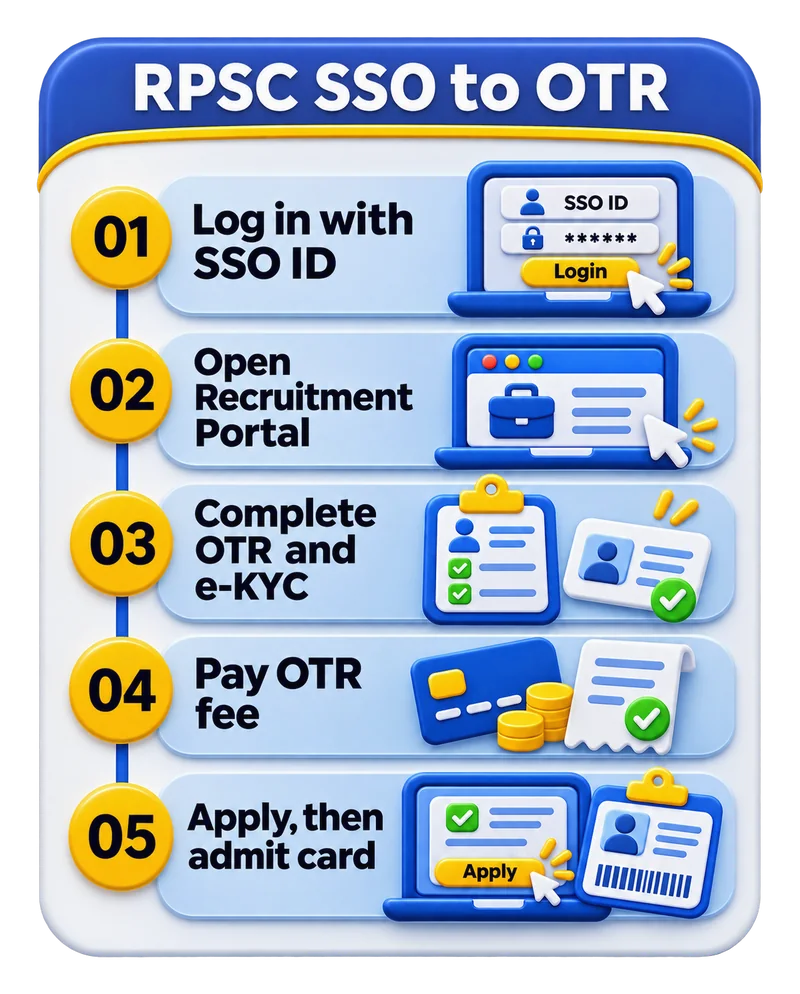
RPSC and RSSB applications run through your SSO ID and a one-time profile called OTR on the Rajasthan Recruitment Portal. Here is the full flow, from login to OTR, application and admit card.
For RPSC SSO login, sign in with your own SSO ID at sso.rajasthan.gov.in (or through the “Login” option on recruitment.rajasthan.gov.in), open the Recruitment Portal, and complete your One Time Registration (OTR) before applying. OTR is done once; keep your documents ready, and create it at least 24 hours before the last date of any application, as the official OTR user manual advises.
The same Recruitment Portal is used for RPSC and RSSB recruitments, so “rssb sso login” follows the same steps. Dear users, this is an independent guide; we are not RPSC, RSSB or the government, and we never ask for your password or OTP. Steps checked on 4 November 2026.
Steps checked on the official portal on 4 November 2026. Independent guide — not the Government of Rajasthan.
How RPSC and RSSB Use Your SSO ID
Your SSO ID is the key, and the Recruitment Portal is the room where applications happen. You cannot fill an RPSC or RSSB form without logging in through SSO.
The Rajasthan Recruitment Portal (recruitment.rajasthan.gov.in) is where candidates see vacancies, apply, edit or withdraw applications, fetch admit cards, raise answer-key objections and get results. Its user manual (dated 2 January 2026) says candidates must create their OTR by logging in through their SSO ID, and must fill the OTR and application form through their own SSO ID only.
On the SSO dashboard, the app is called “Recruitment Portal”. The official SSO helpdesk lists one Recruitment Portal helpdesk with separate numbers for RPSC and RSSB, which shows both bodies share this system.
If you do not have an SSO ID yet, create one first with our SSO ID registration guide or the Hindi guide SSO ID कैसे बनाएं.
The manual warns candidates never to deactivate or merge their SSO ID with an ID that is not their own, and never to share their SSO ID and password with anyone, including cyber cafe operators.
What Is RPSC OTR (One Time Registration Rajasthan)?
OTR is your permanent candidate profile on the Recruitment Portal. Once it is ready, its details flow into each application you fill.
One profile, many forms
You create the OTR once. Your name, father’s name, date of birth, gender, category, photo and signature are stored and reused in every application.
Details come from Aadhaar or Jan Aadhaar
Name, father’s name, date of birth and gender are filled from Aadhaar or Jan Aadhaar. To change them, update Aadhaar or Jan Aadhaar first, then use “Update Details from Aadhaar/Jan-Aadhaar”.
OTR Number
After review and payment, your OTR profile page shows your OTR Number. Keep it noted with your SSO ID.
e-KYC is required
After login, a pop-up asks you to complete e-KYC as part of OTR, under a Department of Personnel circular dated 16.4.2025.
Fee by category
The payment page charges the OTR fee according to the category you select. Check the amount on screen; we do not list fees because they can change.
OTR History
The “OTR History” button on the profile page shows every change you have made, both one-time and repeat edits.
RPSC OTR Steps After SSO Login
These steps follow the official OTR user manual on the Recruitment Portal. Screens can change slightly, so always read the on-screen text before clicking.
Step 1: Log In With Your SSO ID
Type sso.rajasthan.gov.in yourself, enter your SSOID, password and Captcha, and click “Login”. Open the “Recruitment Portal” app. You can also open recruitment.rajasthan.gov.in and use its “Login” option, which takes you through SSO.
Step 2: Accept the e-KYC Pop-up
A pop-up explains the e-KYC process for OTR. Click “Ok” to reach the Basic page of OTR. On the portal home page, new candidates also see “Start One Time Registration”.
Step 3: Answer “Are you resident of Rajasthan?”
Select Yes or No. Then pick the Verification Type: Aadhaar, Jan-Aadhaar or SSO profile. Your basic details are filled automatically after OTP verification.
Step 4: Choose Category, Marital Status and PH Status
Select your category, marital status and specially abled (PH) status, then click “Next”. Your email is taken from your SSO profile if available.
Step 5: Complete the KYC Page
Upload a live photo, a handwritten specimen and your signature in Hindi and English. If you chose SSO profile, you first complete KYC through Aadhaar or Jan Aadhaar.
Step 6: Mark Govt. Employee Status (If Applicable)
Rajasthan government employees select “Yes” for Rajasthan Govt. Employee, enter their employee ID and click fetch. If name, date of birth and gender match, it shows as verified. More on this in our employee SSO guide.
Step 7: Review and Pay
Check every detail on the Payment page and pay the fee for your category. After payment, your profile page shows the OTR Number.
Step 8: Apply and Later Download the Admit Card
Open the recruitment you want, check the auto-filled details and submit. When admit cards are released, use the “Admit Card” option on the portal; see our SSO admit card guide.
If OTRs already exist with your Aadhaar or Jan Aadhaar number, the portal shows an OTR merge message. Merging keeps one OTR and automatically deactivates the duplicates.
Documents, Photo and Signature Checks
Most rejected or stuck OTRs come from mismatched names and unclear uploads. Check these before you begin.
- Aadhaar or Jan Aadhaar: with a mobile number that receives OTP. Personal details are fetched from here, so they must already be correct.
- Live photo: taken in good light, face clearly visible, plain background, no cap or dark glasses.
- Handwritten specimen: written clearly on white paper as the KYC page asks, and photographed without shadows.
- Signatures: a full signature in English and one in Hindi, made in dark ink on white paper.
- Category certificate: if you claim a reserved category, keep the certificate details ready to match what you select.
- Education details: these are filled in the Document Details section and can be edited there before applying.
- Employee ID: only if you are a Rajasthan government employee.
- Payment method: for the category-based OTR fee.
Editing Your OTR
The OTR profile page gives two kinds of edits. Some fields can be changed only once, others as often as needed with OTP verification.
| Edit type | Fields (from the official manual) |
|---|---|
| One-time edit (“One Time OTR Edit”) | Mother’s name, marital status, spouse details, Rajasthan resident status, category, specially abled status, visible body mark, domicile details, permanent address, armed forces category, live photo, handwritten specimen, signatures (English and Hindi), left thumb impression |
| Edit many times | Mobile number, email ID, correspondence address, Rajasthan Govt. Employee status, category (only within allowed pairs, such as General and General-EWS, OBC/MBC Non-Creamy and Creamy) |
| Through Aadhaar/Jan Aadhaar only | Name, father’s name, date of birth, gender |
SC, ST and Saharia (Baran district) candidates cannot change their category through the edit option. The one-time edit sends an OTP to the mobile number in your Aadhaar record and may need a fee if the new category requires one.
Common RPSC SSO Login and OTR Problems
Here are the problems candidates hit most and what the official manual and portal suggest.
My application is on an old SSO ID.
Complete OTR on your current ID, then use “Fetch Application Form” on the OTR profile page. Enter the old SSO ID; matching applications are listed, and an OTP to the application’s registered mobile completes the transfer.
Name or date of birth in OTR is wrong.
These come from Aadhaar or Jan Aadhaar. Correct them there first, then click “Update Details from Aadhaar/Jan-Aadhaar” in OTR.
Employee ID shows “not verified”.
Your ID is saved, but your name, date of birth or gender did not match the employee records. You can verify it later through the update/verify employee ID option once records are corrected.
I forgot my SSO ID or password.
From your registered mobile, send RJ SSO to 9223166166 for the ID, or RJ SSO PASSWORD for the password. See Forgot SSO ID and password reset.
OTP is not reaching my phone.
The OTP goes to the number linked with Aadhaar or Jan Aadhaar, not necessarily your SSO number. Update the number there, or use the mobile-number edit option in OTR.
The site is slow near the last date.
This is why the manual says to create your OTR at least 24 hours before the last date. Try outside peak hours and avoid repeated payments if a transaction is pending.
Recruitment Helpdesk
These numbers are listed for the “Recruitment Portal” on the official SSO helpdesk page (sso.rajasthan.gov.in/helpdesk), on working days from 10 AM to 6 PM. For other grievances, the OTR manual points candidates to the RPSC grievance portal on the RPSC website.
For SSO login issues not linked to a recruitment, use your district RajSSO helpdesk on our SSO helpline page.
| Helpdesk | Phone | |
|---|---|---|
| RPSC | 0145-2635200 | [email protected] |
| RSSB | 0141-2722520 | [email protected] |
| Other recruitments | 9352323625 | [email protected] |
हिंदी में जानकारी
RPSC और RSSB के फॉर्म भरने के लिए अपनी SSO ID से लॉगिन करें और “Recruitment Portal” खोलें। पहली बार में One Time Registration (OTR) करना ज़रूरी है, जिसमें Aadhaar, Jan Aadhaar या SSO प्रोफाइल से सत्यापन, e-KYC, लाइव फोटो, हस्तलिखित नमूना और हिंदी-अंग्रेज़ी हस्ताक्षर अपलोड करने होते हैं। श्रेणी के अनुसार शुल्क देने के बाद OTR नंबर मिलता है। आधिकारिक मैनुअल के अनुसार OTR अंतिम तिथि से कम से कम 24 घंटे पहले बना लें। समस्या होने पर RPSC 0145-2635200, RSSB 0141-2722520 या [email protected] पर संपर्क करें।
FAQs

Conclusion
RPSC SSO login is simple once you know the order: SSO ID, then Recruitment Portal, then OTR, then application and admit card. The OTR is the step that needs care, because your name, photo and signatures from it go into every form.
Create your OTR well before any last date, keep your Aadhaar or Jan Aadhaar details correct, and use only your own SSO ID. If you get stuck, the Recruitment Portal helpdesk above is the right contact.