
SSO ID Merge 2026: What to Do If You Have Multiple SSO IDs
Have two SSO IDs by mistake? Learn which one to keep, what to check before merging, and how to use the portal’s “I have multiple SSOIDs” option safely.
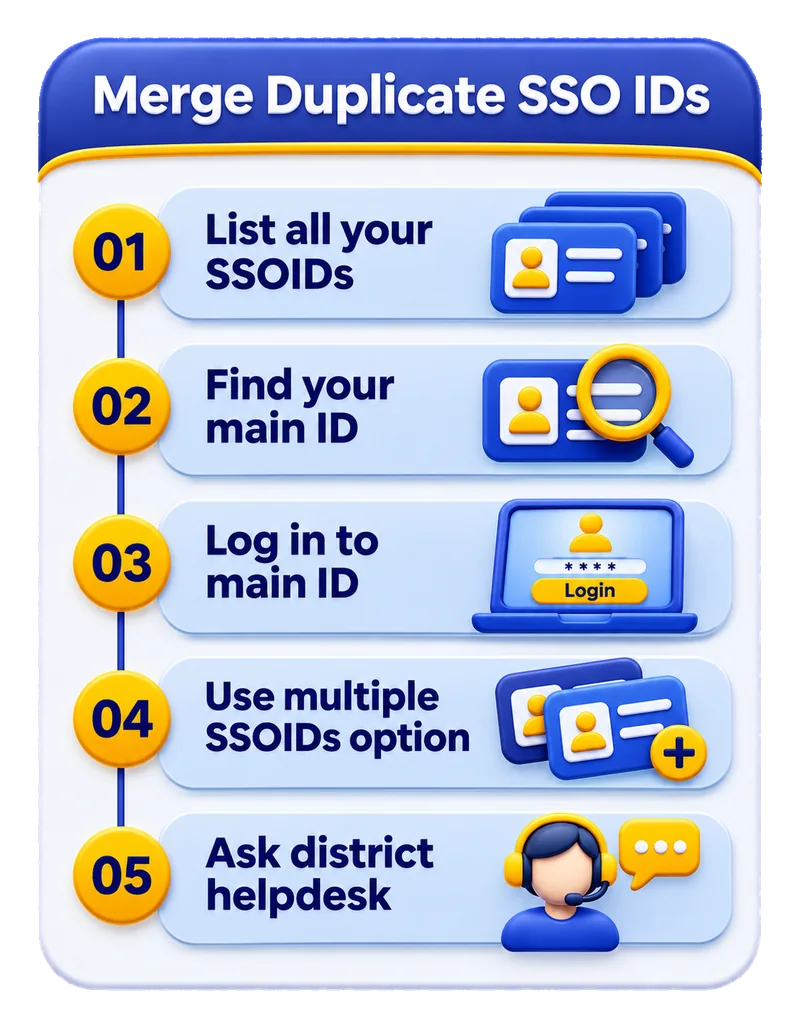
For an SSO ID merge, first decide which SSOID holds your important records (recruitment applications, scholarships, employee data), log in with that main ID on sso.rajasthan.gov.in, and use the “I have multiple SSOIDs” option the portal provides after login. If the option does not work for your case, contact your district RajSSO helpdesk on a working day between 10 AM and 6 PM.
Having two SSO IDs is very common, and it is fixable. This guide explains why duplicate SSO IDs happen, the risks of using both, what to check before merging, and what to do if merging is not possible. Steps checked on 4 November 2026.
Steps checked on the official portal on 4 November 2026. Independent guide — not the Government of Rajasthan.
Why Do People Have Multiple SSO IDs?
Duplicate SSO IDs are usually created by accident. Knowing how it happened helps you find all your IDs.
Forgot the First ID
Many people forget their SSOID and simply register again instead of using the Forgot SSOID option.
Different Registration Methods
One ID created with Jan Aadhaar earlier and another with Google later, or the other way round.
Created at Different Places
One ID made at an e-Mitra kiosk or cyber cafe and another made yourself on mobile.
Changed Mobile Number
A new mobile number made recovery hard, so a fresh ID was created.
Citizen and Employee IDs
A person who joined government service may have an older citizen ID and a newer Govt. Employee ID.
Family Member’s Details
Sometimes an ID was made using a family member’s mobile or details, and later the person made their own.
Risks of Using Two SSO IDs
Using two IDs side by side causes confusion that is hard to undo later, especially for job applicants.
- Split records: An exam application filled in one ID will not show in the other. You may not find your admit card when you need it.
- Duplicate applications: Applying for the same recruitment or scheme from two IDs can create problems during verification.
- Mismatched profiles: Name, date of birth or photo may differ between IDs, which can cause mismatch errors.
- Lost access: One of the IDs may be tied to an old mobile number, so OTPs and recovery SMS will not reach you.
- Employee data: For government employees, service records should be on the correct ID only.
Before You Merge: What to Check
Do this homework first. It decides which SSOID should be your main (primary) ID.
- List all your SSOIDs: Recover each one using sso.rajasthan.gov.in/forgotsd or by sending “RJ SSO” to 9223166166 from each mobile number you may have used. See our Forgot SSO ID guide.
- Log in to each ID: Reset passwords if needed through our password reset guide.
- Check recruitment data: Open the Recruitment Portal in each ID and note which one has your applications, fee payments and admit cards.
- Check other services: Note scholarships, e-Mitra transactions, employment exchange registration or employee apps in each ID.
- Check profile details: Compare name, date of birth, mobile and Jan Aadhaar link. Your main ID should have correct, current details.
- Choose the main ID: Usually the one with your applications and a working registered mobile number.
- Take screenshots: Save screenshots of important applications and the profile page of every ID before you change anything.
If an exam form is pending or a recruitment process is going on in one ID, keep using that ID for that recruitment until it is complete, and ask the Recruitment Portal helpdesk before merging.
How to Merge SSO IDs: General Steps
The portal reports an “I have multiple SSOIDs” option that appears after login. Menu positions can change between portal versions, so follow what your screen shows.
Step 1: Open the Official Portal
Type sso.rajasthan.gov.in in your browser yourself. Do not use links from messages. Our SSO ID login guide shows the login screen.
Step 2: Log In With Your Main SSOID
Enter your main SSOID, password and captcha, and click “Login”. Use the ID you chose after the checks above.
Step 3: Find the “I have multiple SSOIDs” Option
After login, look for the “I have multiple SSOIDs” option the portal provides. If you do not see it, check your profile area and the notices on your dashboard.
Step 4: Enter the Other SSOID Details
Follow the on-screen instructions to identify your other SSOID. The portal may ask you to verify it, for example with its password or an OTP on its registered mobile. Enter OTPs only on the official portal.
Step 5: Confirm and Check
Read the confirmation carefully before submitting. Afterwards, log in again with your main ID and check that your applications and apps appear as expected.
Step 6: Stop Using the Old ID
Once your records are in order, use only your main SSOID for all future applications.
When Merging Is Not Possible
Sometimes the option does not work, for example when the other ID is linked to an old mobile number, belongs to a different user type, or holds active recruitment data.
In such cases, contact your district RajSSO helpdesk. Keep both SSOIDs, your registered mobile numbers, screenshots of each profile, and a short explanation of which ID you want to keep. Phone numbers and emails for all 41 districts are on our SSO ID helpline number page, and the official list is on sso.rajasthan.gov.in/helpdesk.
If the issue is about an exam application in the wrong ID, contact the Recruitment Portal helpdesk as well, because recruitment records follow the recruiting body’s rules.
Common Merge Problems
I cannot find the “I have multiple SSOIDs” option.
Make sure you are logged in, not on the home page. Look through your profile area and dashboard notices. If you still cannot find it, contact your district helpdesk.
I do not remember the password of my second ID.
Reset it first through sso.rajasthan.gov.in/forgot, or send “RJ SSO PASSWORD” to 9223166166 from that ID’s registered mobile.
The second ID is linked to a mobile number I no longer use.
OTP verification will fail. Read our mobile number change guide, or contact the district helpdesk with your details.
My exam application is in the ID I want to remove.
Do not merge or abandon that ID until the recruitment is over or you have confirmed with the Recruitment Portal helpdesk.
I have a citizen ID and a Govt. Employee ID.
These are different user types. Ask your district helpdesk or your office’s SSO contact before trying to combine them.
Someone offered to merge my IDs for a fee.
Do not share your passwords or OTPs. Merging, where available, is done on the official portal itself.
हिंदी में जानकारी
अगर आपके पास एक से ज़्यादा SSO ID हैं, तो पहले सभी IDs में लॉगिन करके देखें कि किस ID में आपके भर्ती आवेदन, छात्रवृत्ति या कर्मचारी डेटा हैं। उसी ID को मुख्य ID मानें। sso.rajasthan.gov.in पर मुख्य ID से लॉगिन करें और लॉगिन के बाद मिलने वाला “I have multiple SSOIDs” विकल्प इस्तेमाल करें। अगर किसी ID में भर्ती प्रक्रिया चल रही है, तो मर्ज करने से पहले भर्ती हेल्पडेस्क से पूछें। मर्ज न हो पाए तो कार्य दिवसों में सुबह 10 से शाम 6 बजे तक अपने जिले की RajSSO हेल्पडेस्क से संपर्क करें। पासवर्ड या OTP किसी को न बताएं।
FAQs

Conclusion
Dear users, duplicate SSO IDs are common and fixable. Find all your IDs, choose the main one that holds your applications, log in with it and use the “I have multiple SSOIDs” option the portal provides. If that does not work, your district RajSSO helpdesk is the right place to go, and our SSO ID problems guide covers other login errors you may meet along the way.