
Forgot SSO ID? Recover Your Rajasthan SSOID in 2026
You can get your SSOID back in a few minutes, either online on the official Forgot SSOID page or with one SMS from your registered mobile.
If you forgot your SSO ID, open sso.rajasthan.gov.in/forgotsd and recover it online with the same Jan Aadhaar, Aadhaar or Google details you used to register, or send the SMS “RJ SSO” to 9223166166 from your registered mobile number. Both methods are free and usually take only a few minutes.
Dear users, “SSO ID bhul gaye” is one of the most common problems on the Rajasthan SSO portal, and it is easy to fix once you know which route fits you. Below we explain the online route, the SMS route and its important condition, where else your SSOID may already be written, and what to do when nothing works. Steps checked on 4 November 2026. This is an independent guide; we never ask for your password or OTP.
Steps checked on the official portal on 4 November 2026. Independent guide — not the Government of Rajasthan.
Forgot SSO ID: Recover It Online on /forgotsd
The official Forgot SSOID page asks you which type of account you made and which method you used to register. Pick the same options you used the first time, and the portal can find your Digital Identity.
Step 1: Open the Official Forgot SSOID Page
Type sso.rajasthan.gov.in/forgotsd into your browser yourself. You can also open the login page at sso.rajasthan.gov.in/signin and click “I Forgot my Digital Identity (SSOID). Click Here”. Check that the address ends in .rajasthan.gov.in before you continue.
Step 2: Choose Your Account Type
Select the type you used when you first registered: Citizen, Udhyog or Govt. Employee. Most residents, students and job applicants are Citizen. Business users choose Udhyog, and state employees choose Govt. Employee.
Step 3: Choose the Method You Used Earlier
Next, pick the method you registered with: Jan Aadhaar, Aadhaar or Google. If you made your SSOID with your Jan Aadhaar, choose Jan Aadhaar; if you signed up with a Gmail account, choose Google. Picking a different method from the one you used will usually not find your ID.
Step 4: Enter the Details and Verify
Fill in the details the portal asks for on screen and complete the verification it shows, such as the captcha or an OTP sent to your linked mobile. Type the OTP only on the official page and never share it with anyone.
Step 5: Note Down Your SSOID
When the portal shows your SSOID, write it in a diary or save it in your phone notes. Then go to the login page and sign in. If you also forgot your password, follow our SSO ID password reset guide next.
Not sure whether you used Jan Aadhaar or Google? Think back to how you first signed up. If you used a Gmail address and a “Google” button, choose Google; if you entered a Jan Aadhaar number, choose Jan Aadhaar. You can try the other option if the first does not work.
How to Find SSO ID by SMS
The SMS route is the fastest way to find your SSO ID if you still use the mobile number registered on the portal. It costs only a normal SMS charge from your operator plan.
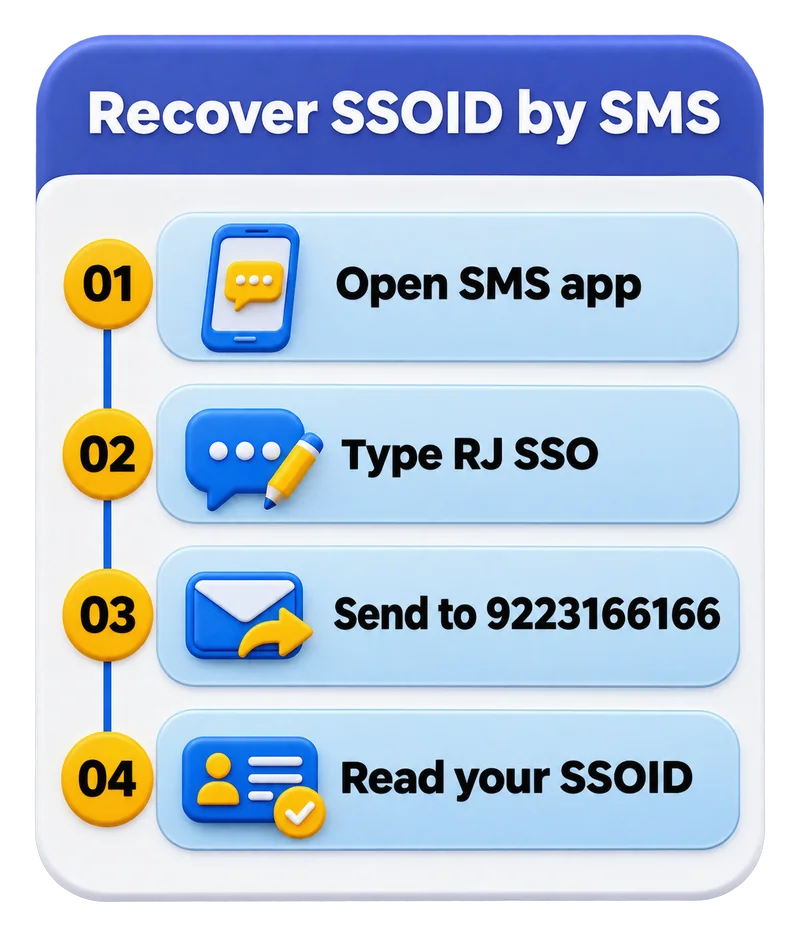
- Step 1: Open the SMS (Messages) app on the phone that has your registered mobile number.
- Step 2: Type the message RJ SSO (with a space between RJ and SSO).
- Step 3: Send it to 9223166166.
- Step 4: Wait for the reply SMS and note the SSOID it shows.
- Step 5: Open sso.rajasthan.gov.in/signin and log in with that SSOID.
Important condition: the SMS route works only if you have logged in to the SSO portal at least once on or after 07/09/2018. If your last login was before that date, use the online route on /forgotsd or contact your district helpdesk.
Compare the 3 Ways to Recover Your SSOID
Use this table to pick the quickest route for your situation. Many people try the SMS first and fall back to the online page.
| Route | What you need | Condition | Best for |
|---|---|---|---|
| Online on sso.rajasthan.gov.in/forgotsd | Account type (Citizen, Udhyog or Govt. Employee) and the method used (Jan Aadhaar, Aadhaar or Google) | You must know which method you registered with | Most users, including those who changed their phone |
| SMS “RJ SSO” to 9223166166 | Your registered mobile number | At least one login on or after 07/09/2018 | Anyone with the registered SIM in hand |
| District RajSSO helpdesk | Your identity details, on a working day 10 AM to 6 PM | Online and SMS routes did not work | Old accounts, lost numbers, unclear cases |
Where Else Your SSOID May Appear
Before you start a recovery, look around. Your SSOID is often already written somewhere you saved, which can save you the trouble.
- Old SMS: Search your phone messages for “SSO” or “SSOID”. Earlier messages from the portal may show your ID.
- Old emails: If you registered with Google, search your Gmail for “SSO” or “Rajasthan Single Sign On”.
- Application printouts: Printouts of forms, admit cards or receipts from services you applied for through SSO may show your SSOID.
- e-Mitra receipts: If an e-Mitra operator filled a form for you, the slip they gave you may include it.
- Saved logins: Your browser’s saved passwords list may hold the username you used on sso.rajasthan.gov.in.
- Your own notes: A diary, phone notes or a photo of your registration screen.
For job forms and exam admit cards, your SSOID is the same one you use for the RPSC SSO login and the recruitment portal. You do not have a different SSOID for each exam.
Problems and Solutions
These are the most common “sso id search” problems and what to do about each one.
I sent “RJ SSO” but did not get any reply.
Check that you sent it from the registered mobile number and typed “RJ SSO” with a space. Make sure your SIM can send SMS and has balance if your plan needs it. If you have not logged in since 07/09/2018, the SMS route will not work, so use /forgotsd instead.
My registered mobile number is closed or lost.
Use the online route on /forgotsd with your Jan Aadhaar, Aadhaar or Google details. If that also needs the old number, contact your district RajSSO helpdesk. Our SSO ID mobile number change guide explains the next steps.
The online page says no record found.
You may have chosen the wrong account type or method. Try again with the other option, for example Google instead of Jan Aadhaar, or Udhyog instead of Citizen. Check every number you typed carefully.
I think I have two SSOIDs.
This happens when people register twice with different methods. Recover both, then read our merge SSO ID guide to understand how to keep your records in one place.
I am a government employee and forgot my SSOID.
Choose Govt. Employee on the /forgotsd page. Employee accounts are separate from citizen accounts. See our SSO ID employee login guide for more help.
The page shows a captcha error again and again.
Use the refresh icon for a new captcha and type it exactly as shown. Clear your browser cache or try another browser if the problem continues.
हिंदी में जानकारी
अगर आप अपनी SSO ID भूल गए हैं, तो खुद sso.rajasthan.gov.in/forgotsd खोलें, अपना प्रकार (Citizen, Udhyog या Govt. Employee) चुनें और वही तरीका चुनें जिससे आपने पंजीकरण किया था — Jan Aadhaar, Aadhaar या Google। दूसरा आसान तरीका है: अपने रजिस्टर्ड मोबाइल नंबर से “RJ SSO” लिखकर 9223166166 पर SMS भेजें, जवाब में आपकी SSOID आ जाएगी। ध्यान रखें, SMS तरीका तभी काम करता है जब आपने 07/09/2018 को या उसके बाद कम से कम एक बार SSO पोर्टल पर लॉगिन किया हो। अपने पुराने SMS, ईमेल और आवेदन की प्रिंट कॉपी भी देखें, उनमें आपकी SSOID लिखी हो सकती है। फिर भी समस्या रहे तो कार्य दिवसों में सुबह 10 से शाम 6 बजे तक अपने ज़िले के RajSSO हेल्पडेस्क से संपर्क करें, और किसी को भी अपना OTP या पासवर्ड न बताएं।
FAQs

Conclusion
Forgetting your SSO ID is common and quick to fix. Use sso.rajasthan.gov.in/forgotsd with the same account type and method you used to register, or send “RJ SSO” to 9223166166 if you have logged in since 07/09/2018.
Once you have your SSOID, save it somewhere safe and log in through our SSO ID login steps. If both routes fail, the district RajSSO helpdesk can guide you further.